Table of contents
Today, mobile eCommerce is no longer just a “nice-to-have” addition to existing online and brick-and-mortal stores, it has become a primary pillar of the global economy. Its market value is projected to increase from $2.4 trillion to over $5 trillion by 2034.
This growth is heavily driven by customer expectations, which have reached unprecedented levels. Fast payments, intuitive navigation, zero downtime, and a smooth operation on every screen are now basic requirements for mobile apps.
In such a demanding environment, even minor mistakes can result in poor app store ratings, which can subsequently drive customers to your competitors and lead to a loss of trust in your brand.
Comprehensive eCommerce testing comes to the rescue, enabling us to avoid this dark scenario by catching errors before they reach users. It is a fundamental element of a business strategy that helps avoid problems and increases the chances of a successful venture. Therefore, investing in this area is an important safeguard that helps build a market advantage by ensuring application reliability and customer satisfaction.
What is mobile commerce testing?
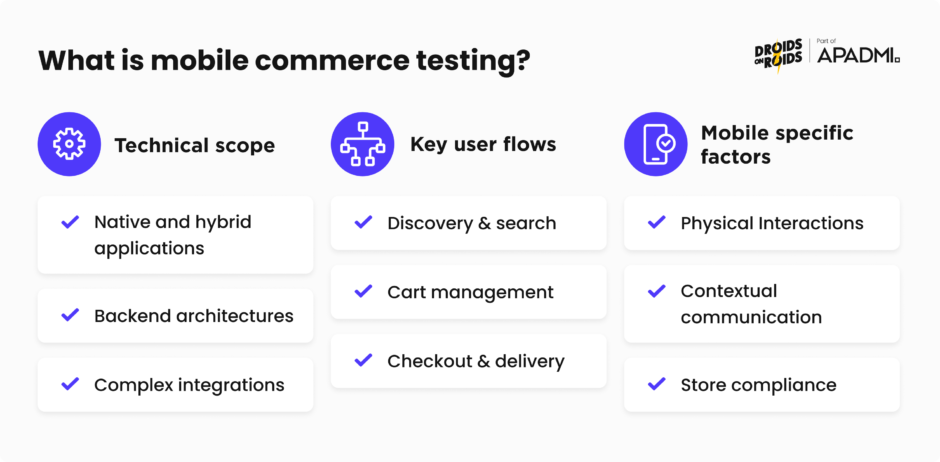
Mobile eCommerce app testing is a complex process of verifying and validating the functionality, usability, performance, and security of the app to ensure a flawless shopping experience. It consists of many factors, starting from technical aspects, through checking key user paths, and ending with criteria specific to the mobile applications. In the testing process, each of these elements is important and requires different methods.
Technical scope
Nowadays, testing is not limited only to the visual layer of the applications, but also includes things such as:
Native and hybrid applications: iOS and Android code validation to ensure the app will work on both systems, is compatible with the latest software, and performs reliably on the specific hardware of different manufacturers.
Backend architectures: Stability tests of servers and databases, which must process huge amounts of requests in real-time.
Complex integrations: Checking touchpoints between the application and external services, such as payment gateways, ERP systems, loyalty platforms, or data collection analytics tools.
Key user flows
In this case, tests focus on the customer’s flawless journey through the paths most critical to the customer experience. Testing can be divided into three main pillars:
Discovery & search: Smooth operating search engines and filters based on selected options, ensuring the user quickly obtains the most precise results possible.
Cart management: Synchronize products between different devices without losing data, manage products added to your cart and intuitively navigate the entire shopping process.
Checkout & delivery: Verification of the payment process (including biometrics) and shipment tracking systems, alongside checking the security of various payment methods, which increases customer trust.
Mobile specific factors
Mobile devices impose unique challenges that require a special approach and the execution of additional tests specific to this group.
Physical Interactions: Validation of gesture support, such as swipe, pinch-to-zoom, or long press, which are already standard features of mobile use.
Contextual communication : Testing push notifications and deeplinking, which redirect users to our preferred locations in the app.
Store compliance: Taking into account the requirements and specific release cycles of the Apple App Store and Google Pay Store, which enable the efficient publication of new application versions.
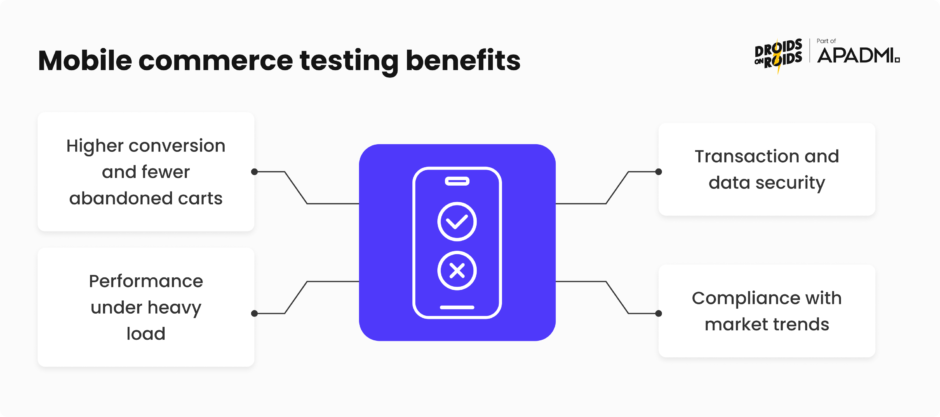
Mobile commerce testing benefits
In an era where most aspects of life are being moved to the digital world, the systematic testing of mobile platforms has become one of the key steps in building business value. Investing in software quality is now an effective way to both ensure a company’s financial stability and build lasting relationships with demanding customers. A reliable approach to testing translates into real profits by eliminating risks that could lead to multi-million dollars losses.
Here are some examples where testing actually translates into platform success:
Higher conversion and fewer abandoned carts
Keeping customer’s attention on products is key to maintaining high sales rates. Therefore, thoroughly eliminating interface errors makes the purchasing process smooth and intuitive for the user, which translates into higher purchase completion rates.
Performance under heavy load
Testing performance helps us to prepare our infrastructure for the high loads associated with events like Black Friday or Cyber Monday. By simulating massive traffic, we can avoid costly failures at critical moments, when even the shortest downtime can result in financial losses and drive customers to the competition.
Transaction and data security
Rigorous verification of payment systems and data exchange protocols is fundamental for all eCommerce applications, as we must ensure the protection of many sensitive data. In an era of numerous cyber threats, multi-level security testing is essential against more than just direct financial fraud. It also safeguards the leakage of customer data, which could lead to the imposition of financial penalties on the company and the loss of brand trust.
Compliance with market trends
Nowadays, AI is booming and can be used in almost every aspect of life. This applies to mobile applications, especially in the eCommerce space, where virtual assistants, personalization and dynamic interfaces dominate. Systematic testing guarantees that these advanced personalization algorithms deliver accurate recommendations in real-time without causing technical conflicts or excessive battery consumption on devices.
What to know before testing
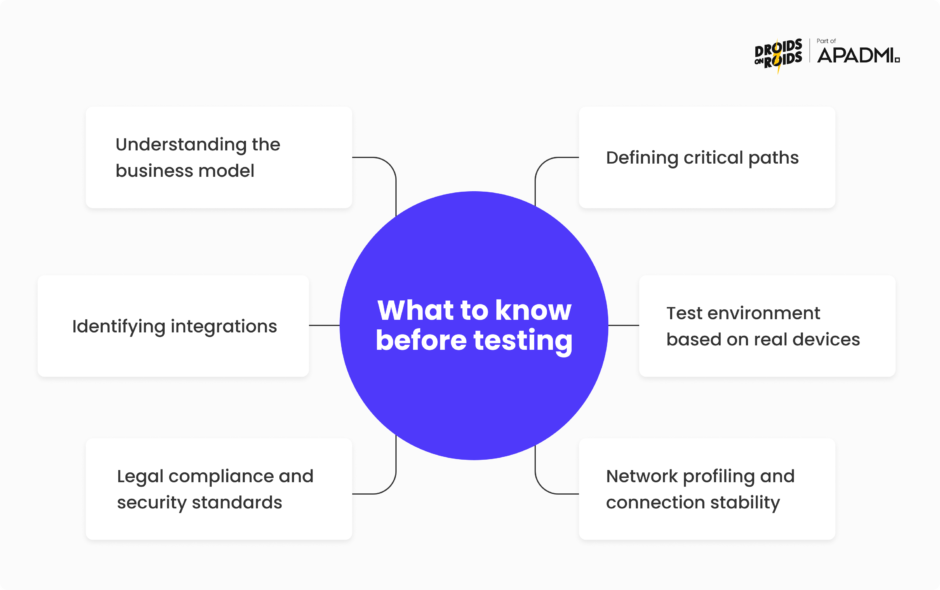
In 2026, professional mobile eCommerce testing begins long before the first line of code is even written. In a world where applications are connected to dozens of external services, simply clicking and checking features only leads to superficial conclusions. To effectively verify an app, a full awareness and understanding of how payment systems work is required, including how money flows through them, where the user encounters the biggest problems, and what actions they most frequently take. The following summary outilnes the basics essential to effectively verifying a modern sales platform
Understanding the business model
The foundation of the strategy starts with considering the model the application operates in. It must be adapted to the specific transactional nature of the platform, because errors in the B2B model (e.g. credit limits) have different consequences than in a B2C or Marketplace model. In the case of a C2C model, the priority shifts to verifying tools for amateur sellers. On the other hand, we have the aforementioned B2B model, where integration with the client’s purchasing systems is key. Each of these models generates risks that testers must identify even before writing the first test scenario to fully cover all possible paths.
Defining critical paths
When building for mobile devices, we musts look at the purchasing process from a different perspective, because the habits of such users are different from the habits of desktop eCommerce shoppers. We should focus on specific behaviors, such as using the app as a sort of shopping assistant during a visit to a physical store, impulsive purchases triggered by push notifications, leaving products in the cart top buy them at a later time, using the app to submit complaints or returns, and utilizing loyalty points. Identifying these behaviors helps us to prioritize testing and catch critical points that will require special attention.
Identifying integrations
Modern mobile applications, including eCommerce, are based on a dense network of interconnections in which the user interface is only a representational layer hiding a massive management structure. It is important to identify these connections in advance, from advanced payment gateways supporting biometrics and cryptocurrencies (e.g. Apple Pay, Stripe, digital wallets) and changing the products status (available/out of stock) to logistic systems that track the status of the order. The stability of these connections determines whether the application will run smoothly and not fail at any point, enabling customers to use every element of it.
Test environment based on real devices
Conducting tests on real devices is fundamental to catching errors specific to particular models that differ in components, biometric sensors, and many other parameters. Emulators can provide additional support, but shouldn’t be the only source of knowledge. Tests performed on physical devices provide the fullest assessment of interface touch response time, energy consumption during purchasing processes, and the stability and general performance of the application when interacting with systems overlays from different companies, among others.
Legal compliance and security standards
The mobile eCommerce testing process also includes verifying compliance with GDPR regulations and PCI DSS financial security standards. With today’s high user awareness and the heavy financial penalties that can be imposed on companies that do not meet security norms, any gap in the way personal data is stored or transactions are processed becomes a critical issue. Tests must confirm that the applied encryption and consent mechanism used is implemented transparently and legally, protecting both the customer and the brand.
Network profiling and connection stability
The specificity of mobile eCommerce lies in the fact that users browse products or finalize purchases while on the move, sometimes in the most unpredictable conditions. This can include whilst in the subway, during train travel, in elevators, and even high in the mountains. Such behavior requires developing tests that check the application’s behaviour with weak internet connection or sudden network band changes (e.g. when switching between 5G and Wi-Fi), which can help verify the app’s resistance to high latency. Testing the platform’s performance during moments of connection instability is crucial for avoiding errors such as double card charges or loss of cart data when the user is switching screens or attempting to make a payment.
Mobile commerce testing types
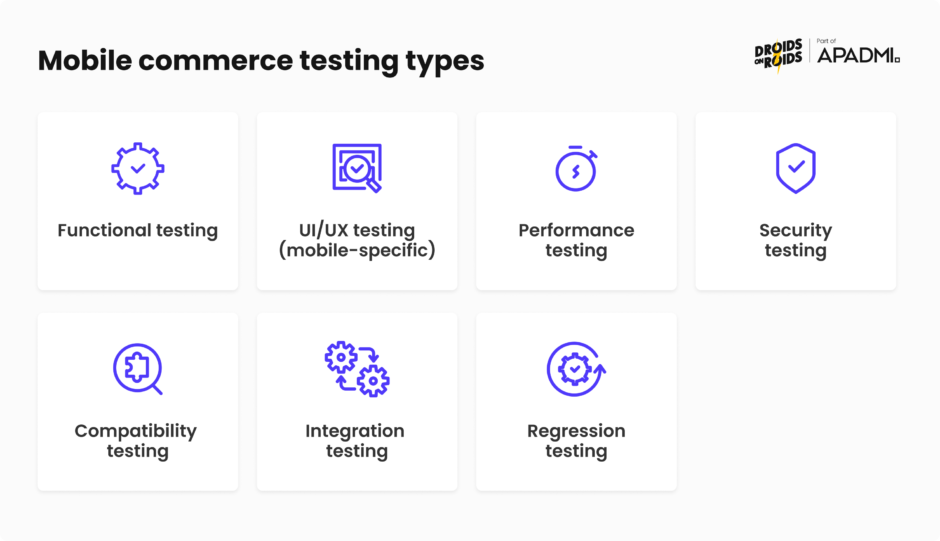
Choosing the right testing methods determines whether our application will become a reliable sales tool or just a source of user frustration. Today, testing is not a one-dimensional process; it requires verifying not only the visual layer but also performance, security, and other parts of the app. A multi-level approach to testing is the only approach for detecting the maximum number of errors. The following list presents the key tests that should absolutely be used to check the largest possible application area.
Functional testing
This type of testing is designed to verify whether every implemented function works according to specification and returns the expected results in response to user actions. It is applied across the entire application, starting from registration and login, product searching, or the functioning of promotions, all the way to cart management, payment processing and order generation.
UI/UX testing (mobile-specific)
This process is focused on checking the quality of human interaction with the app, assessing the visual layer alongside the user experience and sentiment. Since we are operating on smartphones, one of the key elements we verify here is gesture navigation – such as swipe, pinch-to-zoom, and thumb-friendly design. Additionally, an essential element to consider is accessibility validation (compliance with WCAG 2.1, 2.2 standards), which ensures the app is fully adapted to the needs of people with disabilities. This is already a legal requirement in many regions of the world.
Performance testing
In this area, we verify the software’s speed, responsiveness, and stability under changing loads. In eCommerce apps, monitoring these parameters helps eliminate “bottlenecks”, enabling us to avoid unfavorable screen loading time, where the maximum acceptable threshold is just 3 seconds (although the faster the screen loads, the better for the application). This is an absolute requirement for maintaining high convertion rates. These tests also assess our platform’s resilience to high traffic spikes during events like seasonal sales, and check whether multiple concurrent operations in the app do not lead to excessive battery consumption or a drop in animation quality.
Security testing
Multi-level architectural protection ensures that customer data (including sensitive information) and transaction details remain inaccessible to unauthorized persons. Security testing primarily verifies the integrity of data encryption protocols and the correct implementation of tokens responsible for, among other things, maintaining sessions without the need to re-enter a password. It is also important to verify the reliability of biometric authentication, such as FaceID or fingerprint scanners, which must be resilient to manipulation attempts and cyberattacks.
Compatibility testing
The wide range of mobile devices available on the market with various OS versions requires us to confirm that the application maintains visual and technical consistency across all of them. This verification is based on an extensive testing matrix that covers devices from different manufacturers and the latest system releases (Android 16+, iOS 26+), as well as older versions that are still popular and supported by their developers. A key challenge is ensuring responsiveness on sometimes completely different hardware, from smartphones to tablets, so that no user is excluded.
Integration testing
A correct data flow between the application and external service providers guarantees that the application process will not be interrupted at any stage invisible to the user. Here, we focus on verifying API connections with payment gateways, courier systems, analytical platforms, and our own database. These tests are designed to ensure that every operation – whether it is payment authorization, an order status change, or generating a shipping label – runs synchronously and returns the correct data. This eliminates the occurrence of errors that could potentially mislead the customer.
Regression testing
Verifying the entire application systematically enables the release of newer versions without the risk of deploying bugs, including those that could prevent the use of key functions. How exactly does this work? It involves re-running all tests to confirm that no new errors have been introduced anywhere in the application. Regression tests can be performed manually or with the support of automated tests, which significantly speed up the process and perform a security function, ensuring that no part of the application is missed.
Test scenarios for mobile commerce app
Test scenarios are sets of instructions and conditions that define interactions with the application to verify that features work as intended. When we check an eCommerce platform, they become a tool that enables us to control the testing process and helps us set priorities. Their meticulous development help transform general business requirements into measurable and repeatable tests that form the basis of the entire process.
The following test cases are an ideal example of several key elements that should be documented and verified when working with an eCommerce application:
Authorization and biometrics
Verification includes the correctness of registration and logins not only by traditional methods, but also by using FaceID and TouchID. Tests must confirm that biometrics function correctly as an alternative to password entry, and that the application proposes an alternative method if it fails. Additionally, we include the possibility of creating an account via social media or using Apple or Google accounts.
Intuitive search and selection
Simple and intuitive use is absolutely necessary if we do not want to discourage users from using the app. Nobody likes to look for one item for a long time, especially when undertaking many pointless activities along the way. Therefore, it is crucial to verify that product filtering not only returns the correct results, but is also responsive and offers easy, clear navigation for the user. Additionally, it is important to monitor the readability of results, and the ease of resetting or changing filters.
Cart management using simple gestures
During these tests, we verify the efficiency of adding and removing products using natural movements unique to operating a smartphone, such as swipe-to-delete. These scenarios should eliminate the need for complicated or unintuitive actions that could lead to user errors when navigating a small screen.
Prevention of multiple clicks
One of the most important scenarios is to check whether the anti-double-click mechanism effectively blocks multiple requests that could result in double charging an account or displaying an error during transaction processing. This safeguard can also be applied and tested when adding items to “Favorites”, where a double-tap can add and then remove the product from that section.
Application of discount codes and automatic price recalculation
In this stage, we test the accuracy of applied discounts, dynamic price updates after they have been used, and the recalculation of the final total. Testing should also include edge cases, such as combining multiple promotions, attempting to use expired coupons, or changing the applied currency, which may depend on the user’s location.
Mobile payments and transaction error handling
Here, we focus on the payment methods most commonly used in mobile applications. This includes verifying the full payment paths for Apple Pay, Google Pay, unique regional payment methods (such as BLIK), and traditional transfers, with particular emphasis on authorization and transaction finalization. Testing the error messages that may occur is also equally important. It is best practice for the application to display precise information regarding the nature of the error, such as a card rejection. This ensures the user understands the situation and is not left with an incomprehensible message.
Communication via push notifications
Nowadays, keeping users informed in real-time about sales, discounts, and order or payment statuses is needful. After including such notifications to inform the user, it is important to check whether each message arrives at the right time, and that they open the appropriate application screen when clicked on. However, we must remember that not everyone will consent to such communication. Testing should therefore also focus on scenarios where the user has not consented to such communication.
Data synchronization
Verifying data synchronization mechanisms across platforms ensures that a user’s shopping choices are up to date and visible on any other devices where they are logged into their account. This ensures consistency regardless of the device used. These scenarios check, for example, whether a product added to the “Favorites” section will later be visible on a different device. The same principle applies when adding items to the shopping cart and postponing the final purchase until later.
Offline mode performance and data synchronization upon reconnection
As previously mentioned, users often use applications in areas with weak or non-existent signal. That is why it is critical to check offline mode and data synchronization after regaining connection. This testing ensures that a loss of internet connectivity, such as when the user is on the subway or in an elevator, doesn’t result in permanent data loss.
Verification of error display correctness
To make the application user-friendly, it is important to properly design and check the error messages that may occur in it. Similar to transactional messages, this information should appear at the right time and be easily understood by recipients. Tests confirm that, instead of cryptic codes (e.g. error 404), the customer receives specific text regarding the cause of the problem. A well-designed error message can turn a user’s frustration into an understandable step in the process.
Mobile eCommerce test automation
Nowadays, the application release cycle has become much shorter. Some companies are able to release new versions even several or a dozen times a month, either adding new features or fixing bugs. In such a dynamic environment, relying solely on manual testing can become a barrier to growth. Test automation has become practically essential to maintaining smooth development and ensuring high application quality at high release rates.
Why is automation worth the investment?
Feedback Loop
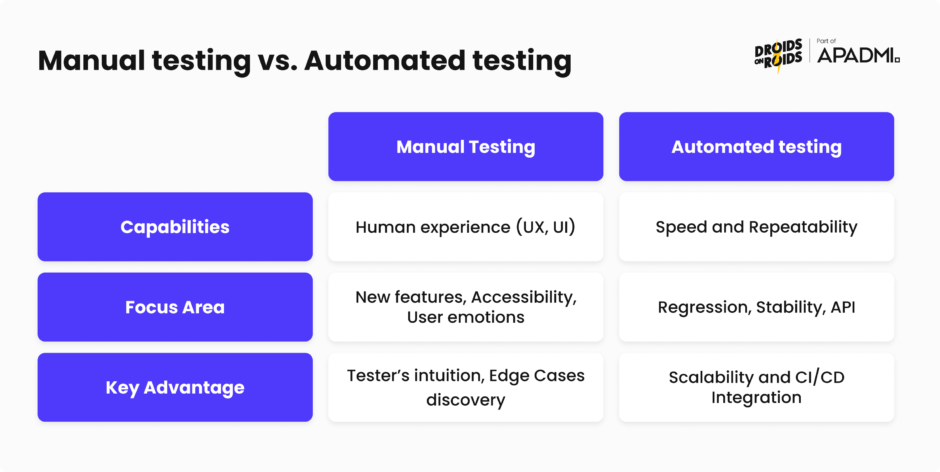
Automation significantly shortens the testing cycle, providing results much faster than manual testing alone. Thanks to their operation, we have more time to correct any errors. The greatest advantage is most visible in regression testing; instead of engaging a team of testers in hours of repetitive testing of the same functions after each improvement or bug fix, just one person can run and supervise automated testing. This approach eliminates downtime that could lead to a delay in the release of a new version.
Cost savings and scalability
Automation reduces operational cost by eliminating the need for the team to manually verify features for every new application release. Once created, a set of scripts can be executed an infinite number of times without the need to generate additional personnel costs, which means that their price decreases with time and the number of tests run. This architecture provides a rapid scaling of operations without new financial outlays, while also enabling app verification on multiple devices as often as we need.
Eliminating human errors
While automation will not fully replace manual testing, which is still necessary for edge cases evaluation, it is vital for repetitive and tedious operations. Scripts are resistant to fatigue and the routine, which can lead to human errors and missed bugs by repeatedly checking the same elements. They work identically every time, verifying each component with consistent precision and providing immediate notification of any discrepancies.
What tests can be automated?
Smoke tests
These tests serve as an initial, quick verification of the application’s core components after any changes have been implemented. Their purpose is to confirm that basic functions are still working properly, even if minor errors occur. Automating this stage provides expectionally quick control of these functions, even after implementing the smallest change. As a result, the development team reacts much faster in the event of a serious application failure.
Critical paths (Happy Path/Checkout)
These represent the basic steps a user must take to achieve the main goal of the application – the purpose for which it was created. In the case of eCommerce applications, this refers specifically to the purchase of a product. Automating these cases ensures that a potential customer can complete a transaction without getting stuck at any stage. These tests help detect potential issues across the entire flow, from adding a product to the cart to the final payment, by meticulously checking every element of the process.
Repetitive scenarios across multiple configurations
Manually performing repetitive tests on multiple device models wastes time that could be spent on more complex testing activities. Automating these scenarios allows scripts to run on various models simultaneously, enabling the detection of hardware specific bugs. This approach guarantees a consistent user experience regardless of the device being used.
Regression testing
This type of testing is a perfect example of where automation delivers the greatest benefits and savings, in terms of both time and budget. As an application evolves, the number of screens and features grows. Consequently, manually verifying every item with each update requires more and more effort. Automation significantly reduces this, allowing us to ensure the proper functioning of the application more quickly despite the frequent addition of new components. As a result, new versions will be released as often as needed without compromising quality.
The role of manual testing
Although automation can cover a lot of areas, the human factor still plays a huge role in the entire process. Automated tests execute only what has been explicitly programmed; they lack the capacity for abstract thinking. Only humans are capable of such intuition and critical analysis, and they should, therefore, be the final deciding factor regarding the overall state and readiness of the application.
User Experience (UX) Assessment
An automated tests can verify whether a “Buy now” button is technically functional, but it cannot determine whether its placement is intuitive, whether its color does not cause eye strain, or its size is properly scaled to the rest of the screen. Testing must extend beyond technical functionality to ensure that using the application delivers a positive experience. This is a crucial factor in encouraging users to choose our platform over a competing one. The more user-friendly and inviting the application feels, the more likely users are to return.
Exploratory testing
During these tests, we explore the application without a specific scenario and test any unusual ideas that the user may have. This approach enables us to discover “edge cases” that were not previously anticipated. Examples include switching the network from Wi-fi to 5G during payment authorization, or clicking a button a dozen times in rapid succession.
Accessibility
A machine can verify technical screen tags and labels, but only a human can determine if the application is truly usable for people with disabilities. A manual tester can check whether voice navigation flows logically, if the color contrast is sufficient to read the screen under various lighting conditions, and if the interface can be operated comfortably with one hand. This attention to detail helps makes the app inclusive and accessible to everyone, and expands our potential user base.
Mobile eCommerce testing tools & best practices
Choosing the right set of tools is primarily about matching the technology to the specific requirements of the project. There are a lot of programs on the market offering similar functions and we need only determine which of them we will use in our project. Below are some tools that enable quality control at every stage of the lifecycle. However, these are not the only options available; each of them can be replaced with an alternative, if it is necessery.
Automation of Ul and Application Logic
The choice of framework will depend on the technology used to build the app. Here are some of the most widely-used options:
Appium
This is a very popular tool that allows for testing applications on both Android and iOS. It eliminates the need to write separate tests for each platform from scratch, as a single test flow (e.g. login or registration) works across both systems. This saves time and money spent on writing automated tests.
Detox
This framework is designed for end-to-end automated testing, primarily for the React Native environment. It is used to verify complete user journeys, from logging in to completing a purchase. User interactions are simulated with an application on real devices or emulators to verify its correct functionality.
Espresso (Android) & XCUITest (iOS)
These tools were created directly by Google and Apple, and are dedicated to their respective operating systems. They enable the quick and precise testing of every implemented feature. Integration with application code ensures a stable and highly accurate testing process, guaranteeing the detection of almost every possible error.
Playwright / Cypress / Selenium
These tools are primarily used to test the browser portion and processes running in the background of the application. They help verify data accuracy, such as product details or prices sent from the server. It can be used to check whether logins, payments, and registrations are technically working correctly. Thanks to their operation, we can guarantee that the data displayed to the user is correct.
JMeter
After frontend, end-to-end, and API testing, it is time for performance testing to check how the application behaves under heavy load. JMeter comes to the rescue here, enabling us to simulate thousands of users making purchases at the same time. We achieve this by simulating Virtual Users (VU) who send the same requests to the app. By manipulating the amount of VUs, we can measure how many users are able to use the store without noticeable drops in server response times.
Infrastructure and Management
Alongside automation solutions, it’s important to choose tools that systematize project workflow, manage documentation, and accelerate the performance of both automated and manual testers. Thanks to these, we are not only able to check the status of each task, but above all, we are protected from organizational chaos. By integrating these tools, we provide a structured environment where information is transparent and every quality-related activity is accounted for.
Browserstack
Browserstack is a huge device farm that provides access to many Android and iOS models without the need to have their physical counterparts at home. Most importantly, it allows connections to real mobile devices, not just emulators. This lets us conduct tests on more phones than those we have at home.
TestRail/Aqua
A test management tool for documenting test scenarios, tracking test results, and creating reports to determine application quality. They make it easier to control tests, perform regression and report bugs. Testers use them both when performing manual and automated tests.
Jira
A project management tool that serves the project’s command center. It is the primary platform for tracking task statutes, managing bug reports, and planning upcoming sprints. Used by the entire project team, Jira ensures transparency, ensuring everyone knows exactly where a task is, and providing the data needed to accurately plan application releases.
Mobile commerce best practices
Although tools significantly improve work efficiency, they are only half of the story. For automation and manual testing to deliver real benefits, they must be based on a good strategy. There are many best practices avaliable, but not every approach works for every type of project. Below, we describe some of the most popular, which will definitely have a positive impact on the development of eCommerce applications.
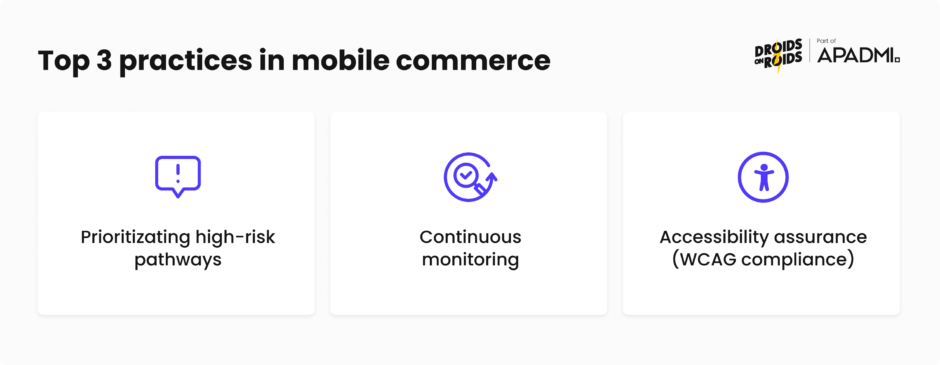
Prioritizating high-risk pathways
In the development environment, particulary within eCommerce applications, not all bugs are created equal. A typo in a product description is an aesthetic flaw, but it does not prevent someone from using the platform. In contrast, a defect in the “Pay” button is a critical failure that blocks one of the most important user paths. This is where task prioritization becomes essential.
To avoid such scenarios, the first step must be to identify the application’s most critical areas and functions. Testing should always commence with these high-impact elements before gradually moving toward lower-priority items. This ensures that, even if the entire application cannot be tested, its most important functions will at least be checked.
Continuous monitoring
Testing does not end when the app is added to the Apple or Google store. The team still maintains vigilance by responding to user reports and monitoring real-time crashes (e.g. using Firebase Crashlytics). This allows for a quick response to any defects that become apparent during actual use of the product. By providing this type of connection between end users and developers, we ensure long-term stability and a consistently high quality user experience.
Accessibility assurance (WCAG compilance)
As of 2025, accessibility is no longer just a best practice but a legal requirement. Designing for people with various degrees of disability is also important for attracting as many users as possible. Before development begins, it is essential to review the WCAG 2.1 guidelines and determine the target level of compliance. The most efficient approach is to implement screens that have been designed with these criteria in mind from the very begining.
Mobile eCommerce testing in Droids On Roids
Droids on Roids is powered by a team of experts with years of experience in building and testing mobile applications, including eCommerce apps. Our approach to the testing process is extensive and comprehensive, combining end-to-end testing, automation, performance verificaion, UX, regression, application audits and accessibility testing.
With deep technical experience in iOS, Android and cross-platform solutions, we guarantee a high-quality product regardless of the chosen technology. The close collaboration between our QA specialists and project teams ensures effective knowledge exchange, in-depth knowledge of application architecture, and the rapid delivery of high-quality functionality. Collaboration with our team guarantees the highest product quality, swift communication, and dedicated support, even after the application is released worldwide.
Summary
In 2026, effective testing is no longer just eliminating technical bugs, but above all about ensuring customer trust and building stable business cooperation. Modern eCommerce applications require comprehensive validation for functionality, UX, performance and security. Leveraging automation, testing on real devices, and ensuring accessibility are not just options. They are a necessity when building scalable and profitable digital products.
In today’s fast-paced world, where purchasing decisions are made in an instant, any technical obstacle poses a direct threat to a brand’s revenue. Ultimately, high quality is the deciding factor in determinig whether an application becomes a user’s favourite shopping tool or just another icon destined for deletion.
.